EN
EN


DTF printers are fantastic devices for printing on fabrics but sometimes they might jam. This can be quite a pain especially when you have to meet a deadline. White ink flow problems can cause jamming in DTF printers. If white ink doesn't flow properly, it could create blockages and thus jams. Titanjet are here to make sure you understand the common reasons ofDTF printer jams and how to solve white ink problems
What Causes DTF Printer Jams and how to fix them
DTF printers have many causes of jams. Firstly it is the loading of the paper. If it is either to thick or wrongly aligned the paper may get stuck within the printer. Make sure the paper is straight and flat inside. Accumulation of dust and other dirt within the printer could also cause jamming and thus a periodic cleaning would do it. Rollers may have worn out if they seem not to be griping properly and thus they could be the problem. Worn out rollers have to be replaced. Low quality ink could also be the cause of printer jams and ink issues. Always use the proper Titanjet inks that are meant for the DTF printer and it will run smoothly. If a jam does occur, remain calm, switch of the printer and gently remove the paper making sure it is not ripped. Then turn on and attempt printing again. If this problem persists you may want to check your software settings which may only require minor changes
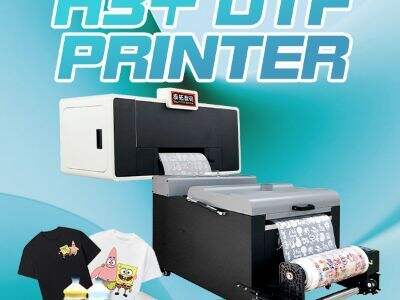
White ink flow problems in DTF printing and its solutions
White ink is essential in DTF printing as it gives life to colors on dark substrates. However, white ink has its own peculiar issues. Poor white ink flow may produce gaps in the printed design. This can be due to the white ink not being shaken before it is placed in the cartridges. You should also make sure you have ample ink levels at all times. When the white ink cartridge is low it might lead to drying of the ink and eventual clogging of the printer head. Running a cleaning cycle is advisable when you suspects there's a clog. A cleaning cycle can flush the ink out, thereby clearing the blockage. Also, it is important to use some maintenance solution on the white ink which helps it to flow properly, thereby not drying out. The ambient temperature can also cause problems in printing because cold temperature affects ink flow. The printer should always be in a stabilized environment. Always use quality white ink such as those offered by Titanjet; these are specifically manufactured to keep them from clogging the printer heads. Always check the manual or contact support when experiencing any further white ink flow issues. With proper maintenance and quality supplies your DTF printer can be a valuable asset
Common issues with DTF printers and their fix
The popularity of DTF printers like the Titanjet model lies in their ability to generate brilliant designs. However, printers have been reported to encounter problems that hamper the printing process. One of the most recurrent is printer jams caused by problems in the white ink flow. The white ink, which is a pigment, is quite dense; if it settles for an extended period it will harden and clog the system. To avoid this, the printer needs to be run on a regular basis to keep the ink moving. Printer head clogs are also a common problem. The printer head must be clear for ink to spray properly and avoid spoiled prints. The printer heads should be cleaned with the recommended cleaning solutions for DTF printers, making sure to follow all the instructions on the container
Sometimes the printer does not recognize the ink cartridges. This may be due to an improper installation of the cartridges. Ensure they are properly locked into position. The cartridges may be replaced again, but this time with some pressure. You must use the correct type of ink; it is recommended that Titanjet printers are used with Titanjet inks for optimum results. It is also essential to clean your printer regularly to prevent the buildup of dust which is another common problem. Wipe both the printer itself and the area around it frequently to ensure a smooth run
What wholesale buyers must do for DTF printer maintenance
If you're a wholesale buyer using Titanjet DTF printers, understanding printer maintenance is essential to save time and resources in the long run. Check the printer ink levels constantly. Poor quality prints or jams may be caused by the ink levels being too low in the cartridges. Always have replacement cartridges on standby in case you run out mid printing
It is vital to clean the printer head regularly. In the event that you do not use your printer on a daily basis, cleaning your printer heads at least once a week will ensure the ink is flowing smoothly. Use a soft cloth and some water to wipe any dust off the printer and its print heads
Also check the printer settings. The printer may sometimes adjust its settings, leading to poor print quality. Always verify that you have used the correct settings for the specific material you are printing on as there is a difference between printing on paper compared to fabrics. Follow the user guide for each model of Titanjet printer available and ensure it lasts longer
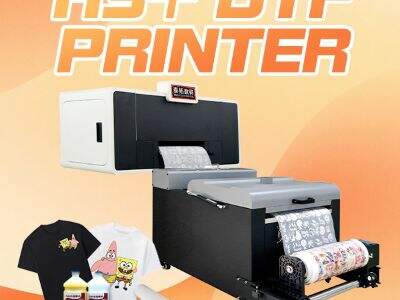
Troubleshoot DTF Printing Problems with Ease
When issues occur on your Titanjet DTF Printer, you may be concerned. However, troubleshooting it will prove simple. Firstly, examine your printer ink flow. If your print seems to be lacking color or fading, this may mean the ink is not flowing properly. Always conduct a nozzle check to see if you get colors properly. Missing lines are another indicator that you may need to clean your printer head
Pay attention to your print area temperatures. It is known that DTF printers print best when in a well controlled environment. Poor performance may be achieved when temperatures are too low or too high as ink will take longer to dry and affect your prints. Always maintain stable temperatures, and use a thermometer to check the temperature if you have to
It is also advisable to check if your prints are blurry or out of place. This can be caused by poor loading of your paper or wrong print settings. If your paper shifts around, the resulting print may blur or be misaligned. Reload the paper and make sure it sits properly
If all else fails, then refer to your user manual or ask support to assist you. Taking care of your printer will go a long way