EN
EN
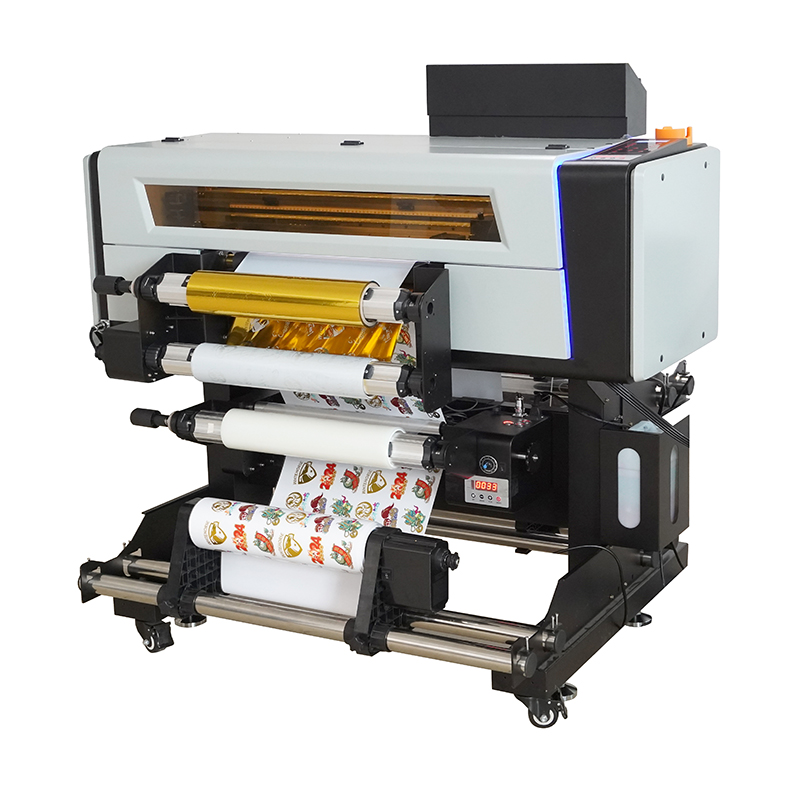
When you print pics or designs on a digital printer, you want the colors to look just right. Sometimes, colors looks strange or not match what on screen. This often due to color cast and banding. Color cast happen when photo have unwanted tint, like too much blue or yellow. Banding is when you see lines or stripes in smooth color areas. These problems can make prints look proffesional. At Titanjet, we want help you fix them. We have simple four-step guide that help get best colors from printer.
What is Color Cast and Banding?
Color cast is when colors in print don’t look right. For example, sunset pic sky looks green not orange, that color cast. It happen for reasons like printer settings or ink used. Banding different issue. Like printing blue sky but see stripes of light and dark blue. Banding occur when printer not mix colors good or resolution low. Both ruin your work, specially for clients. It frustrating but good news, they can fix. Understand this first step to better prints.
How to Do 4-Step Calibration for Good Color
Calibrating printer sound hard, but it simple. Here four steps you can follow. First, make sure printer clean. Dust and old ink mess colors. Wipe with soft cloth. Second, check ink levels. Low or old ink affect colors. Replace cartridges low. Third, print test page with variety colors. Look close, note any cast or banding. Final, adjust settings. Change color profile or resolution in software. This help mix better and smooth prints. Print another test after. Keep adjust till colors good. With this, you minimize cast and banding. Titanjet think right care give beautiful prints every time.
Troubleshoot Color Problems in Printing
When print pics or designs, colors sometimes not right. Frustrating, specially if want great prints. Color cast mean strange tint like too yellow or blue. Banding is lines making uneven. Don’t worry, fix with simple steps. First, check sticker label printer right paper type and quality for project. Like glossy paper, set to that. Next, look ink levels. Low ink make colors dull. Replace with fresh. After, check digital file. Problem sometimes from image. Open on computer, adjust colors with tools, make brighter or warmer.
Benefits of Calibration for Wholesale Buyers
Proper calibration important for wholesale buyers. Calibrated sticker printer machine give accurate, same colors. So every order high quality. Good for business with brand prints. Like flyers match logo perfect. Off colors hurt image. Also save money. Uncalibrated waste ink paper, redo prints cost lot. But calibrated, print confident first time. Help time too. Less back forth, faster orders. Buyers focus sell products not problems. In addition, happier customers. Good prints mean return orders, build relation, more business.
Ensure Same Color in Many Prints
For consistent color in multiple prints, follow key steps. First, use same materials. Same paper and ink every job. Different paper absorb ink different, change colors. Stick same help consistency. Next, controlled environment. Same room, stable light and temp. Light changes affect look. Use natural light check if can. Regular calibrate uv printer machine for accurate colors. Do often, specially if changes notice. Printers have tools easy. Finally, keep color guide near. Chart to match wanted colors. Compare prints, see off and adjust. By these, prints stay consistent. With Titanjet, great results, pro and vibrant. Builds trust, success printing.