EN
EN
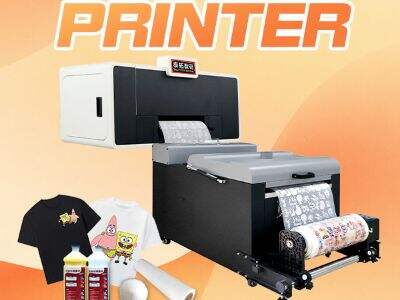
When printing T-shirts with A3 DTF printer, color management is super important. It means make sure colors on screen looks same like on the shirt. If not match, it get very frustrating. Titanjet try hard to help get right colors for designs. This article explain how keep colors consistent from your a3 dtf printer and what do if problem happen.
Where Find Good Resources for A3 DTF Printer Calibration?
Finding reliable stuff key when want your A3 DTF printer work smooth. There many place to learn about color management and calibration. One best is Titanjet website, they got guides and tips special for our printers. Online forums also great, you can talk with other users there. Ask question or share what you experience. Look for groups about DTF printing, members usually share good advices. Youtube another helpful one. Lots users upload video how calibrate printer and handle colors. Watching them give clear idea what to do. And don’t forget dtf a3 printer manual, it have usefull info on settings and adjustment for best result. If still not sure, contact Titanjet customer support. Our team always ready help with question. With so much resource, you can learn and get better skill.
What Common Problem Affect Color Consistency in A3 DTF T-shirt Printing?
Many thing can mess up colors on your T-shirts. One big issue is ink type. If ink not good quality, colors not come out as expected. Always use inks Titanjet recommend for best. Another problem the printing surface. If fabric dirty or too rough, ink maybe not stick well. Check shirts for dirt or oil before print. Printer settings play big role too. If color setting wrong, you end with colors different from design. Better double check settings every time print. Temperature also influence, if too hot and cold, ink not dry proper, cause smudge or fade. Lastly, film in DTF printing affect color quality. Use right film make colors stay vibrant and true. By watch these common issues, you improve consistency and T-shirts look great everytime.
How Optimize Color Profiles for Wholesale A3 DTF T-shirt Printing?
When use A3 DTF printers for T-shirts, colors some times look different than expect. To make colors nice and match screen, need optimize color profiles. Color profile like guide tell printer how mix colors. First setup printer and computer correct. Install latest drivers from Titanjet. These drivers help printer understand colors you want. Next check design software setting. Most program have color option. Use RGB mode for digital design because it good for screen. But when ready print, switch to CMYK mode. This better for printing and colors more accurate.
After software ready, create custom color profile for A3 DTF printer. Start print color chart with all colors you use. Then compare printed one with reference chart see how close match. If some colors off, adjust setting like color balance or brightness in software. Might take few try to perfect, but worth it! Save custom profile so use again later. This keep colors same for different designs. With Titanjet printers, they have feature help maintain accuracy, easier produce nice T-shirts every time.
How Troubleshoot Color Variations in A3 DTF T-shirt Printers?
Even best setup, colors still can vary sometime. If T-shirt colors not match design, no worry! There steps to fix variations. First check ink levels. Low ink make colors look fade or wash out. Replace cartridge if low and print again. Next sure use right ink type for dtf printer a3. Titanjet work best with specific inks, so use recommend ones avoid problem.
Another issue the transfer film type. Different films change how colors appear on shirt. Use high quality DTF films for your printer. If unsure, ask supplier best option. After ink and film check, look printer settings. Sometime set wrong quality or resolution. For DTF better choose higher quality setting for good colors. If all seem ok but still not right, maybe recalibrate printer. This adjust ink apply and improve accuracy.
Lastly keep printer clean always. Dust or leftover ink affect printing colors. Clean printer heads and nozzles regular help ink flow smooth and colors come as should. Follow these steps, you can fix variations and print vibrant T-shirts match your design.
What Color Calibration Tools Recommended for A3 DTF Printing?
Get accurate colors with A3 DTF printers very essential. Need use calibration tools for this. Tools help make sure printer give right colors everytime. One popular is colorimeter. It device measure colors. Use it check how printer reproduce colors compare standard. After measure, adjust settings improve accuracy.
Another usefull spectrophotometer. More advance, give detail color info. If serious about accuracy, invest in spectrophotometer help make custom profiles for A3 DTF printer. Also software like Adobe Photoshop or special color management program can assist calibrate. They let adjust colors from tool measurements.
You should do test prints too check colors on real T-shirts. Print test design with calibrated setting and compare original. Look difference and adjust if need. Repeat until happy. Titanjet printers design work good with these tools, easier get consistent beautiful prints. By use these calibration tools, every T-shirt look amazing like you imagine.
Table of Contents
- Where Find Good Resources for A3 DTF Printer Calibration?
- What Common Problem Affect Color Consistency in A3 DTF T-shirt Printing?
- How Optimize Color Profiles for Wholesale A3 DTF T-shirt Printing?
- How Troubleshoot Color Variations in A3 DTF T-shirt Printers?
- What Color Calibration Tools Recommended for A3 DTF Printing?