How to Choose the Right Smart Label Printer

Get a Free Quote

Our representative will contact you soon.
Email
Mobile/WhatsApp
Name
Company Name
Message
0/1000

Smart label printer

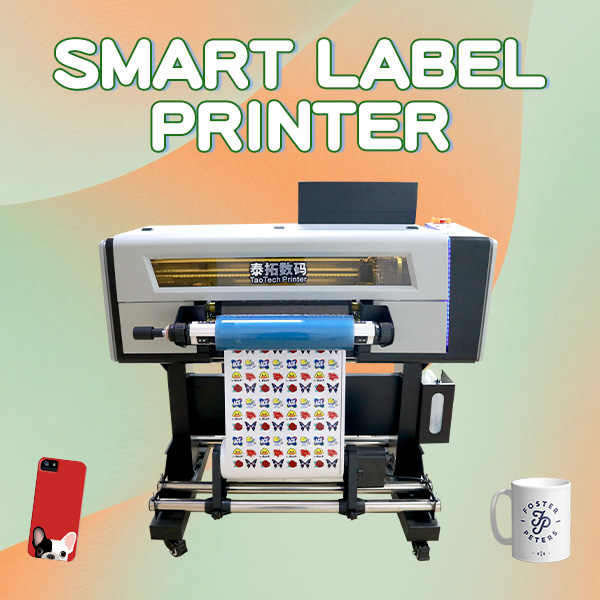
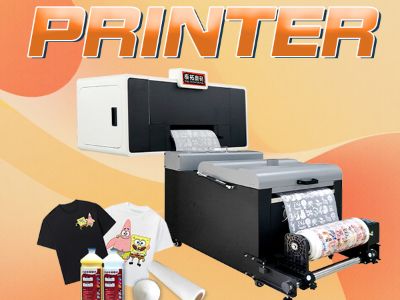
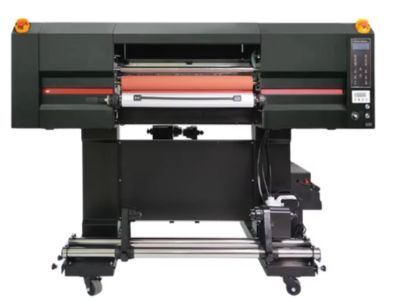
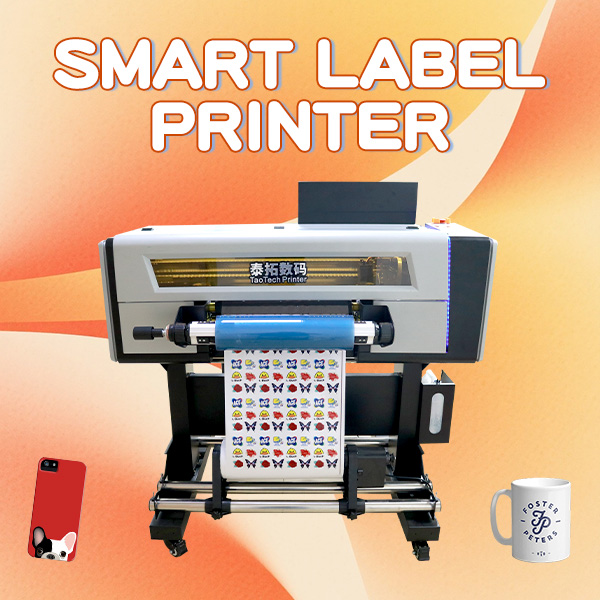
Smart label printers are advanced devices designed to produce high-quality labels quickly and efficiently, catering to various business needs. For B2B buyers, key concerns include choosing the right smart label printer that meets application requirements, understanding the costs involved, and ensuring reliable performance. This article will guide purchasing managers, product managers, and engineers through the process of selecting a sticker label printer, addressing common challenges, and offering practical installation tips. This article will hellp you to understand the product more, so keep on reading it all. 

Our Products

Wholesale Purchasing Guide for Smart Label Printers

Wholesale Purchasing Guide for Smart Label Printers

When purchasing Titanjet smart label printers in bulk, it is essential to establish clear communication with your supplier regarding your specific needs. Provide detailed information about your intended applications, desired features, and any customization requirements. This might include print speed, label size, and material types. 

Inquire about the minimum order quantity (MOQ) and lead times for delivery. Understanding these factors will help you manage your inventory effectively and avoid unnecessary delays. Also, ask about warranty and support services offered by the manufacturer to ensure long-term reliability and performance. 

Comparative pricing is another critical aspect of wholesale purchasing. Request quotes from multiple suppliers and compare not only the unit price but also the total cost of ownership, including maintenance, consumables, and potential upgrades. This will help you make an informed decision that aligns with your budget.
Cost Factors to Consider When Buying Smart Label Printers

Cost Factors to Consider When Buying Smart Label Printers

The total cost of ownership for smart label printers includes several components beyond the initial purchase price. Key cost factors include: 

Media Costs: Depending on the materials used for labels (paper, synthetic, etc.), the costs can vary significantly. Assess how frequently you will need to replace these materials based on your printing volume. 

Maintenance and Repairs: Regular maintenance is essential to ensure optimal performance. Factor in potential repair costs and the availability of replacement parts when selecting a smart label printer. Some manufacturers, like TaoTech, offer comprehensive service packages that can mitigate these costs. 

Software and Compatibility: Ensure that any necessary software for design and printing is included or available for purchase. Costs can arise from additional software licenses or upgrades needed to integrate the color label printer into your existing systems. 

Energy Consumption: Consider energy efficiency ratings when evaluating different models. A printer that consumes less power can lead to significant savings over time, especially in high-volume environments.

Common Problems with Smart Label Printers and Their Solutions

Common Problems with Smart Label Printers and Their Solutions

Despite their advanced capabilities, Titanjet smart label printers can encounter common issues that may impede productivity. Here are a few problems and suggested solutions: 

Print Quality Issues: If the labels are printing with streaks or fading, check the print head and adjust the settings for resolution and speed. Regular cleaning and maintenance can prevent these issues. 

Label Jams: Ensure that the labels are loaded correctly according to the manufacturer's specifications. Using the wrong label type or size can lead to jams. Regularly inspect the feed rollers for wear and tear. 

Connectivity Problems: If the smart label printer is not connecting to your network or software, verify the settings and check for firmware updates. Sometimes, a reboot of the system can resolve connectivity issues. 

Inconsistent Print Speed: Variations in print speed may indicate that the media is incompatible or that the smart label printer requires maintenance. Always use recommended media types and conduct regular maintenance checks.

Installation Tips for Efficient Use of Smart Label Printers

Proper installation is crucial for maximizing the efficiency of your Titanjet smart label printer. Here are some tips to ensure a smooth setup: 

Read the Manual: Before installation, carefully review the manufacturer's manual. Understanding the specifications and setup requirements will help avoid common pitfalls. 

Choose the Right Location: Place the smart label printer in a well-ventilated area, away from direct sunlight and extreme temperatures. Ensure that the workspace allows for easy access to the smart label printer for maintenance and loading materials. 

Test Different Settings: Once installed, conduct test prints using various settings to determine the optimal configuration for your specific applications. This can help identify the best balance between print speed and quality. 

Train Your Team: Provide adequate training for staff who will be operating the smart label printer. This will ensure that they are familiar with its features, maintenance requirements, and troubleshooting procedures. 

By following these tips, businesses can ensure that their product label printer operate efficiently and meet their labeling needs effectively.

How to Choose the Right Smart Label Printer for Your Business

Selecting the right smart label printer involves understanding your specific requirements. Consider factors such as print speed, resolution, and media compatibility. Choosing the right product is so easy if you trust on our brand. For instance, if you need to produce labels for high-volume applications, a smart label printer with a high-speed output and substantial media capacity is essential.  

Evaluate the type of labels you will be printing. Will they be used for product labeling, shipping, or inventory management? Different applications may require varying label sizes, adhesive types, and durability. For example, UV-resistant labels are suitable for outdoor use, while thermal transfer labels might be ideal for shipping applications. 

Another critical factor is ease of integration with your existing systems. Ensure that the smart label printer you choose is compatible with your inventory management or ERP software. Additionally, consider whether you need a smart label printer with advanced features like wireless connectivity or mobile printing capabilities to streamline your operations.

Our Blog Posts

UV DTF vs. Traditional Printing Methods: Key Differences

27

Mar

UV DTF vs. Traditional Printing Methods: Key Differences

UV DTF printing and traditonal printing methods is two ways to put desgins on materials. UV DTF stand for Ultra-Violet Direct to Film. This way uses UV light to dry ink quick. On other hand, old methods like screen printing been used many years. Both...
View More
The Improvement of Production Efficiency by Automation Functions of A3 UV DTF Printers: How automation functions reduce user errors and maintenance time, thereby improving production efficiency

30

Jun

The Improvement of Production Efficiency by Automation Functions of A3 UV DTF Printers: How automation functions reduce user errors and maintenance time, thereby improving production efficiency

Titanjet has made this really nice machine, the A3 UV DTF printer. This printer is special because of its automation features. Those functions make people work better and much faster. And also, fewer mistakes happen. In a factory, time is super impor...
View More
The Impact of A2 UV DTF Printer's High-Precision Printing Technology on High-End Apparel Customization: How to Meet the Strict Requirements of High-End Apparel Customization for Details and Quality

30

Jun

The Impact of A2 UV DTF Printer's High-Precision Printing Technology on High-End Apparel Customization: How to Meet the Strict Requirements of High-End Apparel Customization for Details and Quality

The A2 UV DTF printer changing how clothes get made, especialy for high-end fashion. This printer use special tech that let it print detaled designs direct on fabric. High-end apparel, like luxury brands and custom stuff, need to look perfect. A2 UV ...
View More
DTF Printing Explained: How PET Film, Powder Adhesive, and Shake Work Together

30

Jun

DTF Printing Explained: How PET Film, Powder Adhesive, and Shake Work Together

DTF printing are a neat way to put designs on cloths and stuff. It mean Direct to Film printing. This way use special stuffs to make bright color prints. Lots of business like it because its fast and simple. Firms like Titanjet use DTF printing to he...
View More

Get a Free Quote

Our representative will contact you soon.
Email
Mobile/WhatsApp
Name
Company Name
Message
0/1000
How to Choose the Right Smart Label Printer

Get a Free Quote

Our representative will contact you soon.
Email
Mobile/WhatsApp
Name
Company Name
Message
0/1000