Common Issues with Desktop Label Printers & Solutions

Get a Free Quote

Our representative will contact you soon.
Email
Mobile/WhatsApp
Name
Company Name
Message
0/1000

Desktop label printer

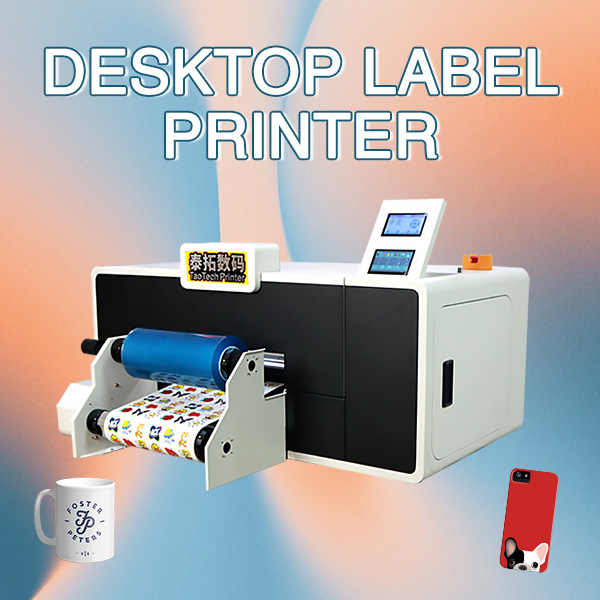
Desktop label printers are essential tools for businesses looking to streamline their labeling processes. These printers enable companies to create high-quality labels for products, shipping, and inventory management. However, purchasing a desktop roll label printer can raise several concerns for B2B buyers, including compatibility with existing systems, print quality, and operational efficiency. , we'll explore common problems associated with desktop inkjet label printer and their solutions, applications across various industries, installation guidance, a buyer's checklist, and the significance of selecting reliable suppliers for your label printing needs. 
Applications for Desktop Label Printers in Various Industries

Applications for Desktop Label Printers in Various Industries

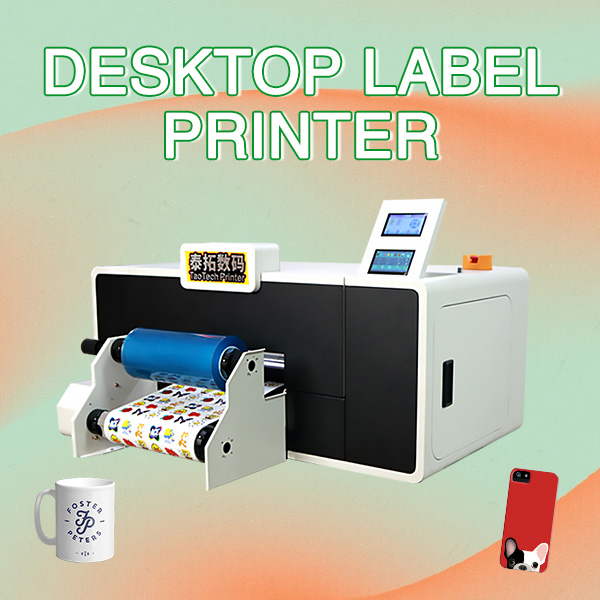
Desktop label printers are versatile and find applications across numerous industries. In the retail sector, they are used for pricing labels, product information, and promotional tags. High-resolution printing capabilities ensure that labels are not only functional but also visually appealing. 

In manufacturing, desktop label printers play a crucial role in inventory management and tracking. They can print barcodes and QR codes that facilitate efficient stock control and product identification. This is particularly important in environments where quick access to information is necessary for operational efficiency. 

The healthcare industry also benefits from desktop label printers. They are used for labeling patient records, medication, and laboratory samples, where accuracy is paramount. The ability to print labels on-demand ensures that healthcare providers can quickly respond to changing needs. 

Furthermore, logistics and shipping companies rely on desktop waterproof label printer to generate shipping labels and tracking information, which streamlines the delivery process and enhances customer satisfaction. Each industry has unique requirements, so buyers should consider the specific applications and functionality needed when selecting a printer. 
Installation Guidance for Your New Desktop Label Printer

Installation Guidance for Your New Desktop Label Printer

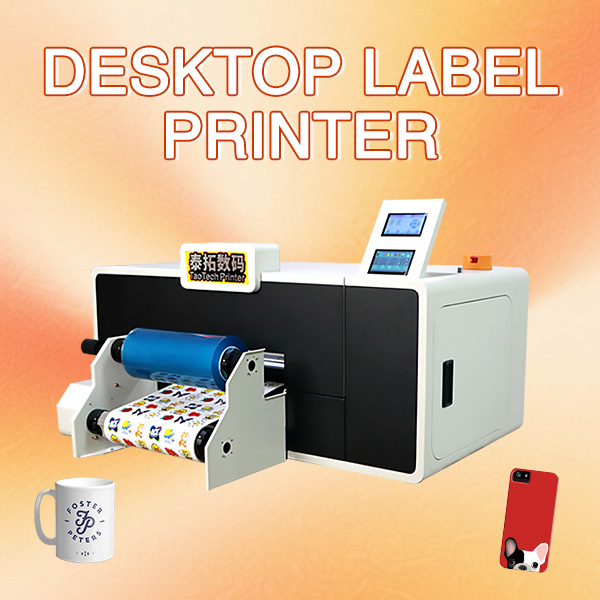
Installing a desktop label printer requires careful attention to ensure optimal performance. First, unpack the printer and check for any visible damage. Following the manufacturer’s instructions, connect the printer to your computer or network. Ensure that all cables are securely connected and that the power source is stable. 

Next, install the necessary drivers and software. Most manufacturers provide a CD or downloadable software that guides users through the installation process. It's crucial to follow these instructions precisely to avoid any compatibility issues. 

Once installed, conduct a test print to verify that the printer functions correctly. This test should include printing on various label materials to ensure compatibility. Adjust settings such as print density and speed based on the specific labels being used, as these factors can significantly impact print quality. 

Finally, create a maintenance schedule to keep the printer in optimal condition. Regular cleaning and updates can prevent many common issues that arise from neglect. 

A Buyer's Checklis

A Buyer's Checklis

When purchasing a desktop label printer, having a checklist can streamline the decision-making process. Here are essential items to consider:

Print Resolution: Determine the required DPI (dots per inch) for your applications. Higher resolutions are necessary for detailed graphics. Connectivity Options: Ensure compatibility with your existing systems (USB, Ethernet, wireless). Label Compatibility: Confirm that the printer can handle the materials and sizes you intend to use. Print Speed: Evaluate how many labels you need per hour to ensure the printer meets your operational demands. Software Compatibility: Check if the printer’s software is compatible with your current operating system and any label design software you use. Warranty and Support Options: Understand the warranty terms and the level of customer support available. Maintenance Requirements: Inquire about maintenance needs and costs associated with the printer. 

This checklist can help buyers make informed decisions and avoid common pitfalls during the purchasing process. 

Why Reliable Suppliers Matter for Your Desktop Label Printer Needs

Choosing a reliable supplier for your desktop label printer is critical for ensuring long-term satisfaction. A reputable supplier will offer high-quality products that meet industry standards, such as ISO9001, which TaoTech adheres to in its manufacturing process. This certification guarantees that the printers are made under stringent quality management systems, thus reducing the risk of defects. 

Furthermore, a reliable supplier will provide excellent customer service, offering support for installation, maintenance, and troubleshooting. This support can be invaluable, especially during the initial setup and when faced with operational challenges. 

Additionally, established suppliers often have a wide range of products and accessories, including compatible label materials and inks, which can enhance the printer's performance and longevity. By sourcing from a trusted supplier, buyers can ensure they are not only getting a quality product but also the necessary resources to maintain it effectively. 

Opting for a supplier with a strong reputation can ultimately lead to a more seamless purchasing experience and ongoing operational success. 

Common Problems with Desktop Label Printers and Their Solutions

When using desktop label printers, various issues can arise that may hinder production efficiency. One common problem is print quality inconsistency. This can occur due to several factors, including improper calibration, low-quality ink, or unsuitable label materials. To address this, it is critical to ensure that the printer is regularly maintained and calibrated according to manufacturer specifications. Using high-quality inks and compatible label materials can also significantly improve print quality.

Another frequent issue is connectivity problems. Many desktop label printers connect via USB or network interfaces, and compatibility issues may arise with different operating systems. To mitigate this, buyers should confirm compatibility with their existing systems before purchase. Ensuring that the printer's drivers are up to date can also help prevent connectivity issues.

Lastly, paper jams and feeding problems can disrupt workflow. Proper maintenance, such as regularly cleaning the feed rollers and ensuring the correct label size is used, can reduce the likelihood of these issues. Training staff on proper loading techniques can also minimize the risk of jams.

Our Blog Posts

The Driving Role of A2 UV DTF Printers in the Apparel Customization Industry

18

Nov

The Driving Role of A2 UV DTF Printers in the Apparel Customization Industry

The momentum of A2 UV DTF printers application in garment customization market will be the driving force for more and more distinctive and personalized garments. Like Titanjet, these printers utilize cutting-edge technology to accurately and quickly ...
View More
How UV Ink Instantly Cures: The Science Behind LED vs. Mercury Lamps

30

Jun

How UV Ink Instantly Cures: The Science Behind LED vs. Mercury Lamps

UV ink is a special kind of ink that hardens quick when exposed to UV light. This ink use in various print jobs, like labels, signs and packaging. When UV light shine on the ink, it trigger a chemical react that turn liquid ink to solid. This quick d...
View More
Digital Industrial Fabric Printer vs Traditional Printing: Which Is Better?

16

Jun

Digital Industrial Fabric Printer vs Traditional Printing: Which Is Better?

Printing fabric can done in two main ways: digital printing and traditional printing. Both method has strengths and weakness. Digital industrial fabric printers, like Titanjet ones, uses new tech to make designs direct on fabric. This can be faster a...
View More
How Industrial Fabric Printers Revolutionize Textile & Garment Custom Printing

30

Jun

How Industrial Fabric Printers Revolutionize Textile & Garment Custom Printing

Industrial fabric printers is changing the way we make designs on clothes and textiles. They uses special tech to print colorful patterns right on the fabric. So businesses can create custom clothes with unique looks much quicker now. Titanjet lead i...
View More

Get a Free Quote

Our representative will contact you soon.
Email
Mobile/WhatsApp
Name
Company Name
Message
0/1000
Common Issues with Desktop Label Printers & Solutions

Get a Free Quote

Our representative will contact you soon.
Email
Mobile/WhatsApp
Name
Company Name
Message
0/1000